CONTROL.
THEN COLOUR.
Independent Comp and Pedal blocks, both active together. Choose Studio, Optical, FET or Pedal compression. Add one of four built-in drives or load NAM A1/A2 pedal captures.
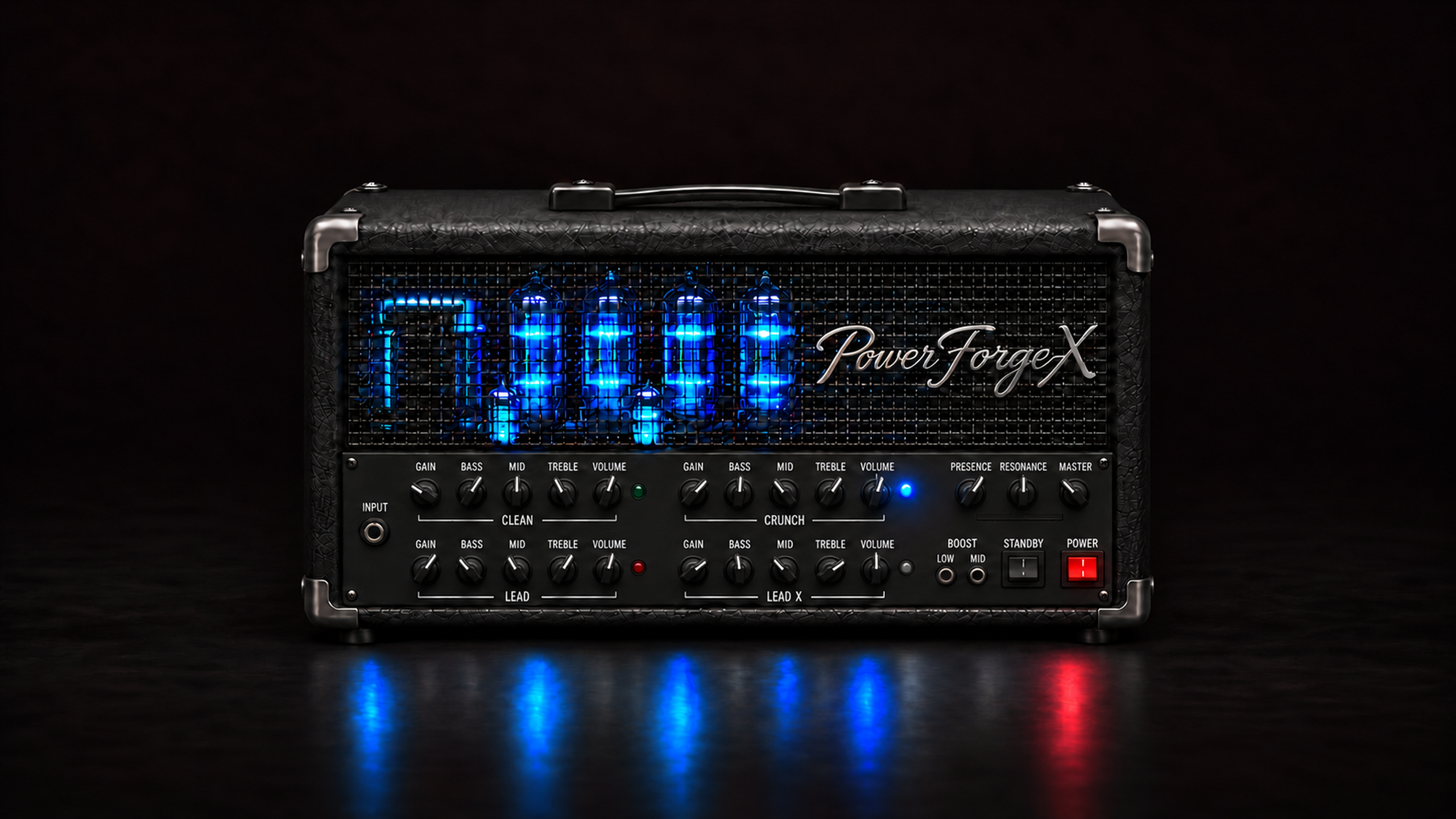
HIGH GAIN GUITAR AMP
iPHONE + iPAD + MAC / STANDALONE + AUv3From the first clean note
to the last sustaining lead.
Your entire rig. In your hands.
POWER FORGE X IN A FULL SONG
An original song written and performed by Grigoris Giarelis, who also mixed and mastered the track. Every guitar part—from rhythm to lead—uses Power Forge X for its amp, cabinet and effects.
Hear how the guitar sounds work together in a finished arrangement, rather than in isolation. Listen on headphones or studio monitors to explore Power Forge X in the mix.
Original music, performance, mix & master: Grigoris Giarelis.
THE AMPLIFIER
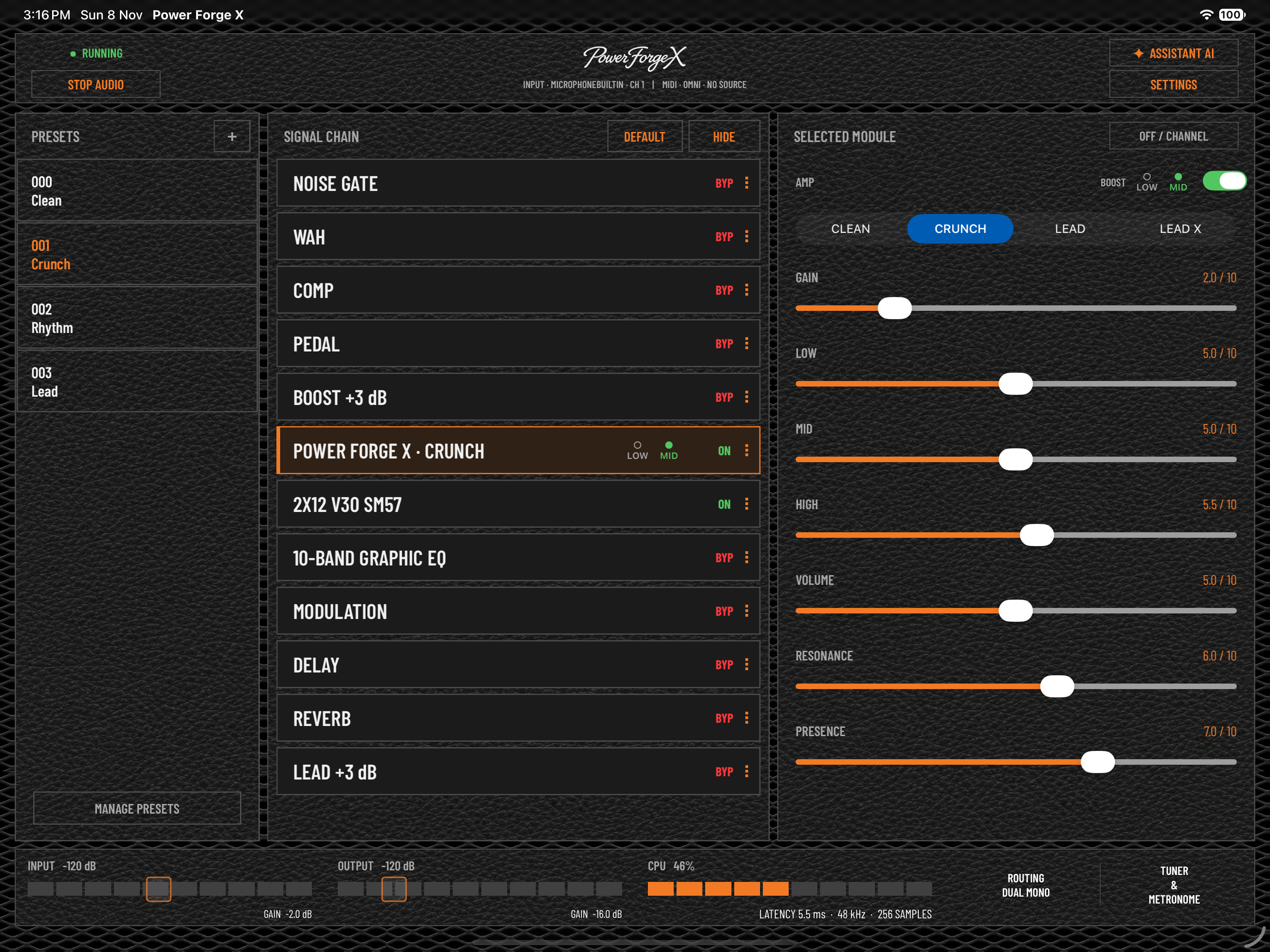
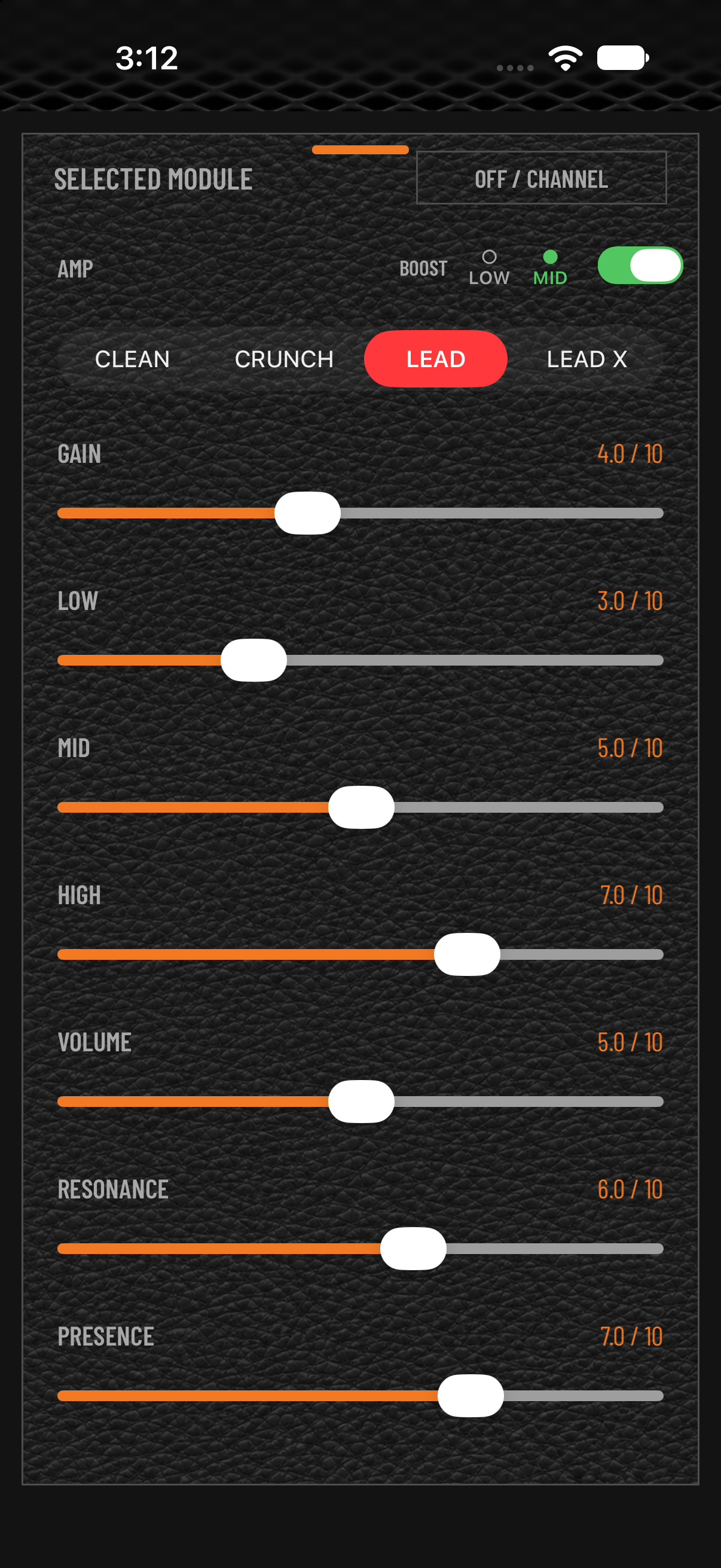
Sparkling cleans. British-style crunch. Thick Lead. Tight Lead X. Four distinct voices, each with its own seven amp controls and remembered settings.
CLEAN
Pristine, sparkly cleans with generous headroom. Push the independent Gain control for smooth, vintage-style breakup.
Independent settings per channel. Saved with your presets and AUv3 host state.
THE SIGNAL CHAIN
Move all twelve processing blocks. Put compression before drive, experiment with effect placement and make the path your own.
Start with Clean, Crunch, Rhythm or Lead—the four included factory presets. Save your own order and settings with Full Unlock.
Default signal order shown. All twelve blocks can move in standalone and AUv3.
YOUR RIG AT A GLANCE
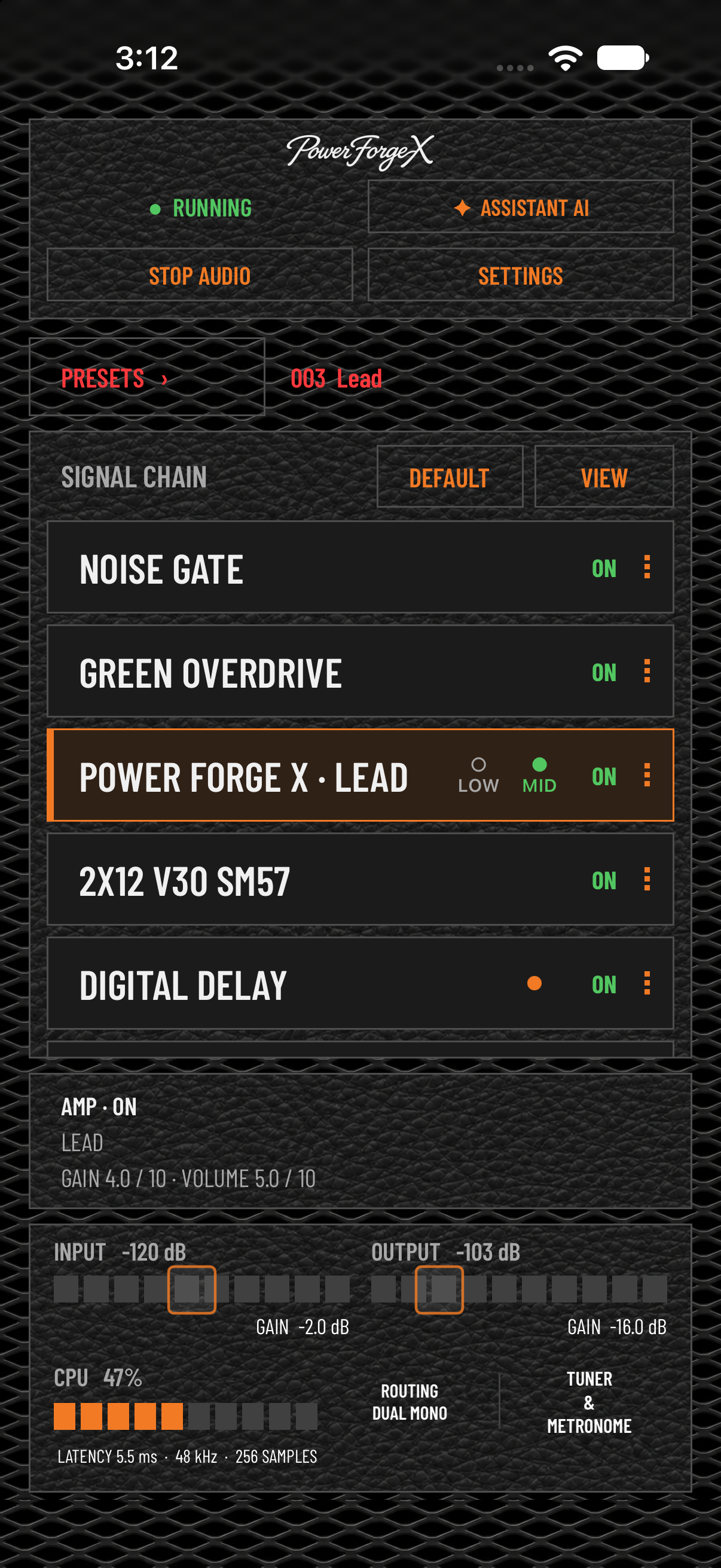
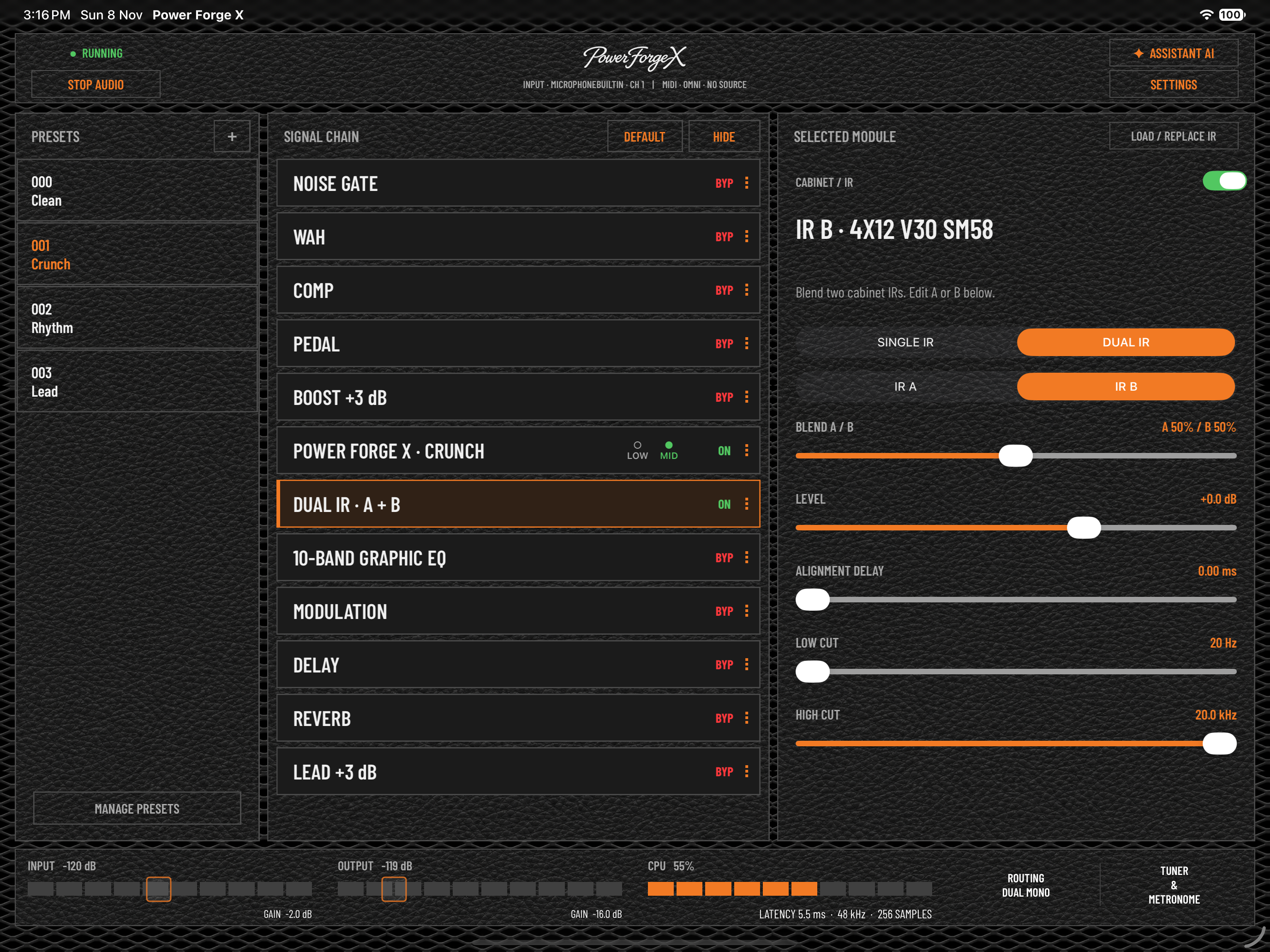
See the selected preset, active modules and input/output levels together. Open a module to shape its sound.
Independent Comp and Pedal blocks, both active together. Choose Studio, Optical, FET or Pedal compression. Add one of four built-in drives or load NAM A1/A2 pedal captures.
Single or Dual IR. Blend A and B with independent levels, low/high cuts and 0–10 ms alignment delay. Four bundled cabinet IRs, your own WAV files and TONE3000 browsing.
EQ, modulation, delay and Room, Hall, Plate, Spring or Shimmer reverb. Enable Tails to keep delay and reverb decays flowing after bypass.
YOUR CABINET COLLECTION
Start with the included V30 cabinets. Go deeper with your own impulse responses and keep favourites close in the IR Quick Library.
Separate Pedal and IR Quick Libraries. Audition, reorder, import and export your assets.
OUTPUT ROUTING
Choose Stereo / Dual Mono for your complete sound on both outputs, or Split PA / Amp to feed a cabinet-ready signal to the PA and a cabinet-free signal to your amp’s FX return.
Open Settings → Audio Output, or tap ROUTING in the standalone footer. The output choice is global across presets.
STEREO / DUAL MONO
Feed headphones, studio monitors or your stereo setup. The full processed rig reaches both outputs, preserving stereo effects rather than summing them to mono.
SPLIT PA / AMP
Left includes the cabinet IR for a mixer, PA, FRFR speaker or recording input. Right omits the cabinet IR for a real guitar amplifier’s FX return. Connect and test at a low volume.
Diagrams show the default processing order; your twelve blocks can be reordered. The standalone metronome goes to both outputs in Stereo / Dual Mono and only PA/left in Split.
PRACTICE. RECORD. PERFORM.
Stereo / Dual Mono, or Split PA / Amp: send the cabinet sound left to the PA and the cabinet-free signal right to an amp FX return.
Host compatible effects in Gate, Wah, Pedal, Modulation, Delay and Reverb. External hosting is standalone only and requires Stereo output.
Chromatic tuner and a standalone 1–400 BPM metronome with Tap Tempo. Connect a compatible audio interface and make time to play.
Standalone MIDI Learn and preset control with Full Unlock. Run Power Forge X as an AUv3 plug-in in compatible hosts, with host state and automation.
THE AI ASSISTANT
Ask about the rig you’re actually playing. Every question includes a fresh snapshot of your channels, signal order, effects, cabinets and routing.
Explore tone building, gain staging, MIDI and setup. Work through scales, chords, harmony, fretboard positions and practice ideas.
Standalone only. Internet required. The assistant cannot hear your guitar, assess your playing or change controls.
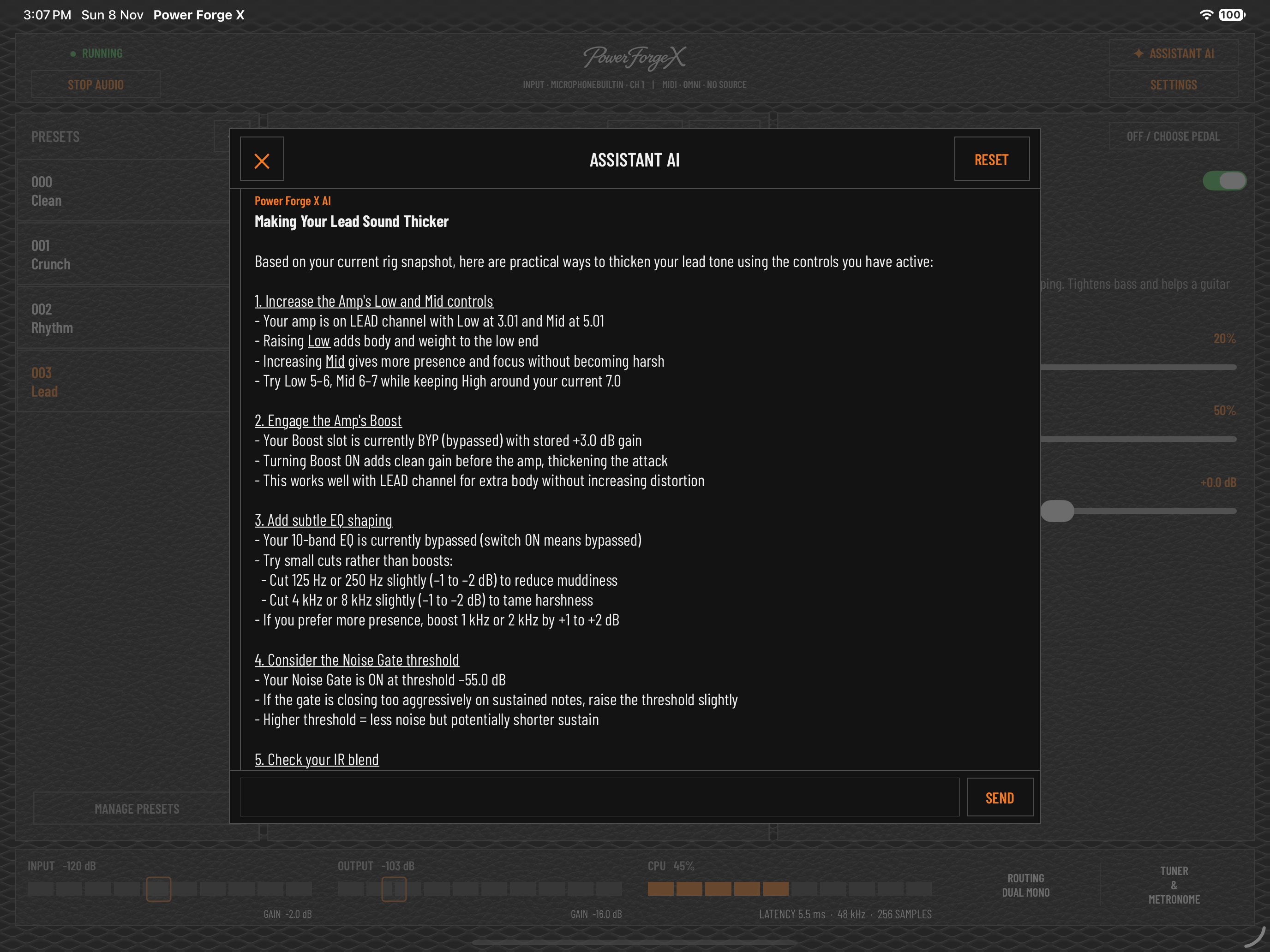
“How can I make my lead sound thicker?”
↗START FREE. GO FURTHER.
Plug in and explore. Unlock more control with a one-time in-app purchase. No subscription. Full Unlock is $9.99 / €9.99. The App Store displays the price for your region.
FREE
FULL UNLOCK / $9.99 · €9.99
Purchase or Restore Purchases in standalone Settings → Full Unlock.
BEFORE YOU PLUG IN
A guitar amp app for iPhone and iPad by iAppsHellas, with Clean, Crunch, Lead and Lead X channels, a movable twelve-block signal chain, cabinet IRs, effects and a standalone AI Assistant.
A compatible class-compliant audio interface, the appropriate cable or adapter for your iPhone or iPad, and headphones, monitors or your chosen output system. Start with a low listening level.
Yes. Full Unlock includes the Power Forge X AUv3 plug-in for compatible hosts. The plug-in has the amp, chain, cabinets and effects, with host state and automation. Third-party effect hosting, the AI Assistant and metronome belong to the standalone app.
Load NAM A1/A2 pedal captures from Files or TONE3000 in the Pedal block, and WAV cabinet IRs in the IR block. Save assets in the separate Pedal and IR Quick Libraries. The built-in Amp offers Clean, Crunch, Lead and Lead X channel selection.
Open Settings → Full Unlock → Restore Purchases in the standalone app using the Apple Account that made the purchase. After verification, the AUv3 plug-in unlocks too.
Single uses cabinet IR A. Dual blends A and B with independent level, low/high cuts and optional 0–10 ms alignment delay. Load either slot from the four bundled cabinets, Files or TONE3000. Presets and AUv3 host state retain both files and the cabinet settings.
Stereo / Dual Mono sends your complete rig to both outputs and preserves stereo effects. Split PA / Amp sends the cabinet-processed sound left to a PA, FRFR speaker or recording input and a cabinet-free version right to an amplifier’s FX return. External AUv3 effect selections require Stereo. In the Power Forge X plug-in, your host controls routing.
There are two separate asset libraries: Pedal for NAM pedal captures and IR for cabinet WAV files, with up to 100 entries each. Audition without closing the browser, reorder entries and import or export each library separately. Imports merge with the existing list and skip identical content. These libraries store assets, not complete rig presets, and do not automatically sync between standalone and AUv3.
Choose Classic, Vintage or Modern Wah, then adjust Position, Range, Resonance and Level. With Full Unlock, standalone MIDI Learn can assign Wah Position to an expression pedal and bypass to a footswitch. Wah settings are stored with your presets.
Full Unlock includes standalone MIDI Settings and MIDI Learn for assigning supported controls, preset selection and performance functions. Choose OMNI or a specific MIDI channel. Inside a compatible AUv3 host, route MIDI to the Power Forge X instance and use its supported CC controls or host automation; standalone MIDI Learn is separate from host MIDI setup.
Yes, in the standalone app: Gate, Wah, Pedal, Modulation, Delay and Reverb can host compatible third-party AUv3 effects. These selections require Stereo output. Hosted Modulation, Delay and Reverb offer AUv3 Tails for slot bypass. The Power Forge X plug-in cannot host other AUv3 plug-ins.
The standalone app has a chromatic tuner and a 1–400 BPM metronome with Tap Tempo, click volume and beat accent. The click can continue after closing the tuner window, and tuner mute affects the guitar rather than the click. The AUv3 plug-in includes a tuner; use your host for metronome playback.
Use Files or TONE3000 from the module you are editing: Pedal → Load NAM Pedal for A1/A2 pedal captures, or Load / Replace IR for cabinet WAV files. NAM A2 pedal files can offer submodels to audition. The built-in Amp uses Clean, Crunch, Lead and Lead X; it does not provide an external amp-file loading menu.
The standalone amp, effects, Pedal and IR Quick Libraries, and loading existing or factory presets are free. Full Unlock is a one-time $9.99 / €9.99 in-app purchase for preset management, preset-package import/export, standalone MIDI Settings and the AUv3 plug-in. There is no subscription. The App Store shows your regional price; Restore Purchases is available in standalone Settings.
In standalone, open Settings → Audio Buffer or tap the CPU area in the footer. Buffers down to 64 samples are available on suitable setups. Lower buffers reduce latency but increase processing demands; choose a stable setting for your interface and rig. In AUv3, your host manages the buffer.
MAKE ROOM FOR YOUR NEXT RIFF.