Green.
Clean, warm and touch-sensitive tones. Find the response that follows your playing.
Fifty One X. A guitar amp app for iPhone and iPad by iAppsHellas. Three channels, a movable signal chain, cabinet IRs and effects - all in one rig.
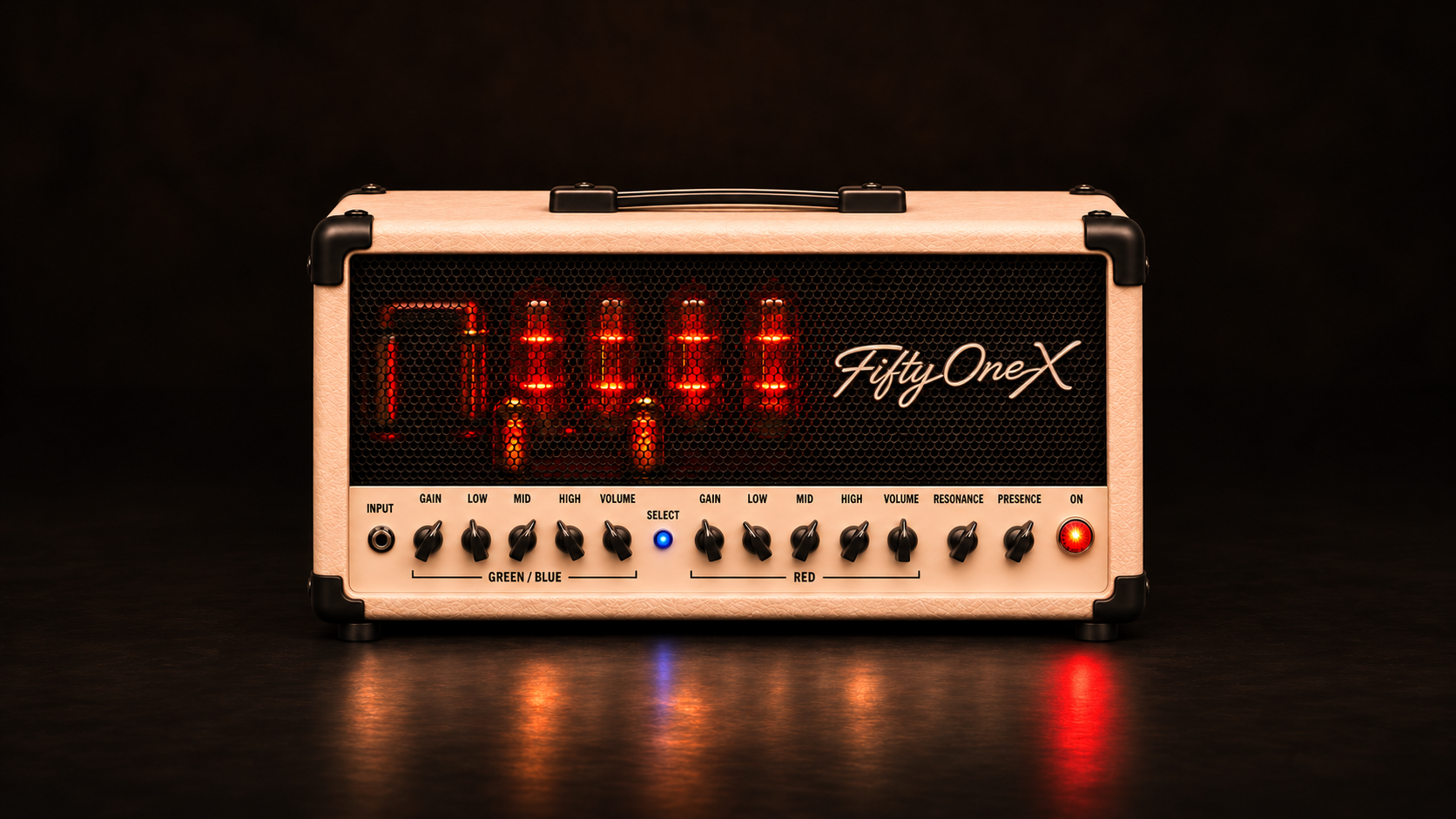
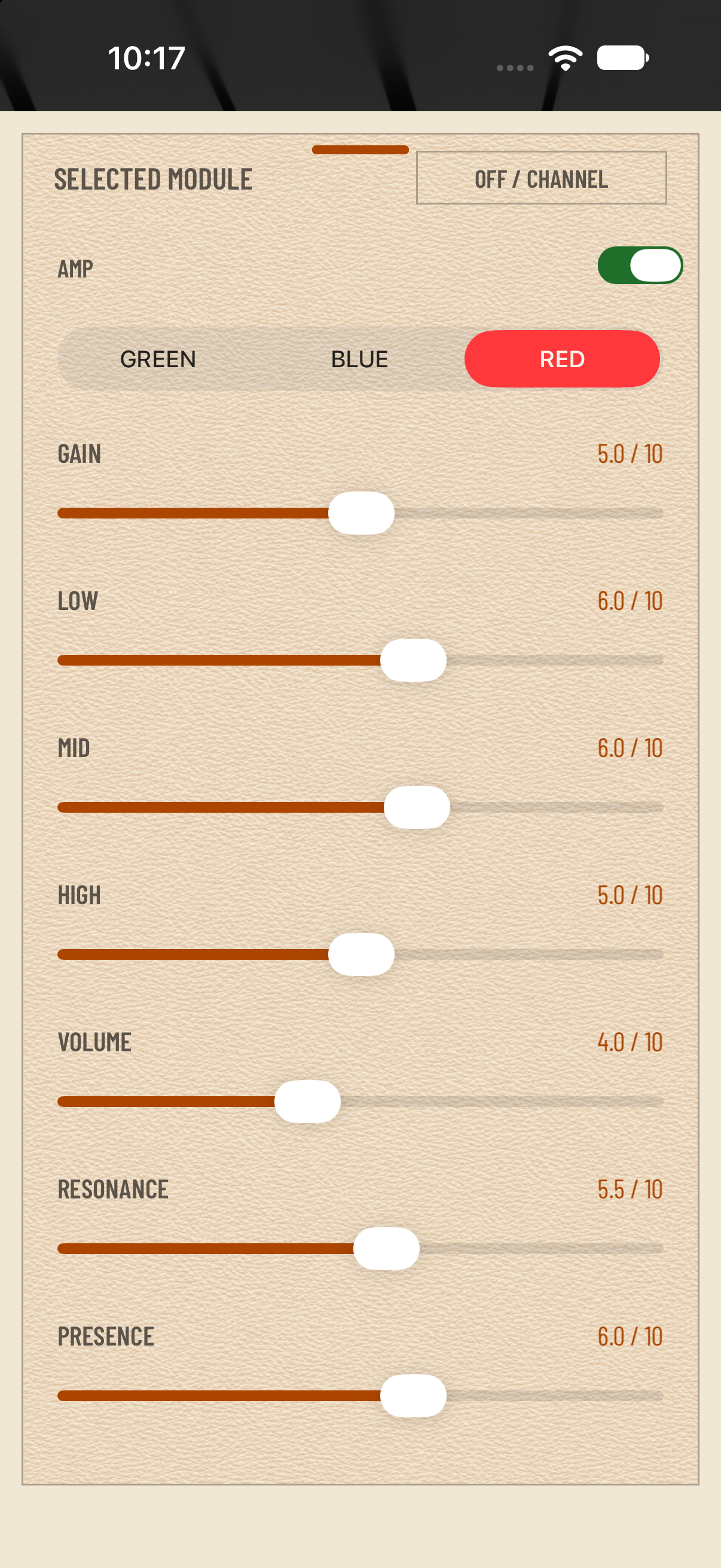
Green, Blue and Red each remember their own Gain, Low, Mid, High, Volume, Resonance and Presence settings. Switch channels and pick up where you left off.
Clean, warm and touch-sensitive tones. Find the response that follows your playing.
Dirty, gritty and saturated. Shape hard-rock riffs and modern metal tones with independent channel controls.
Extreme saturation, massive sustain and tight low-end lead tones. Take your solos to the front.
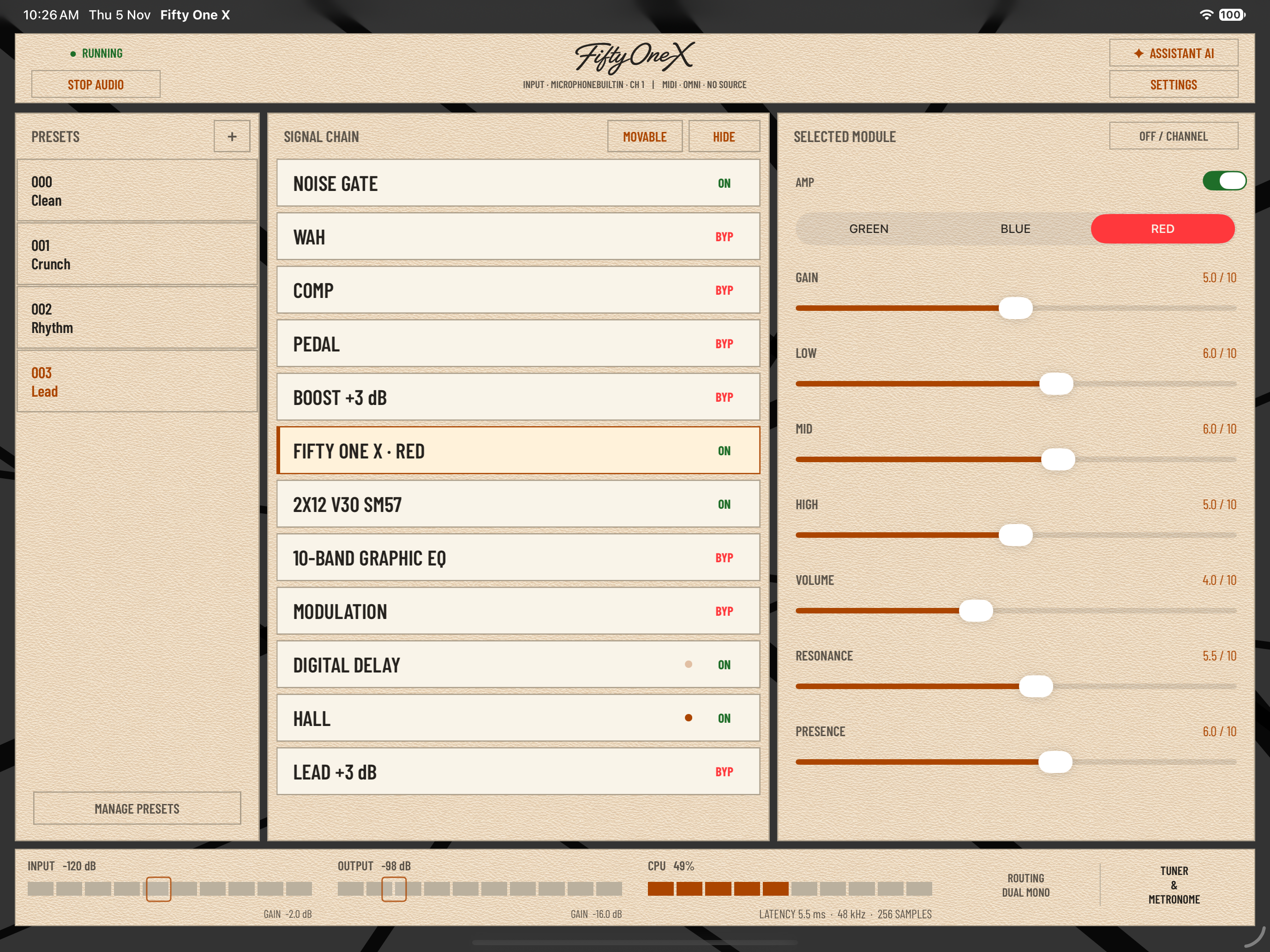
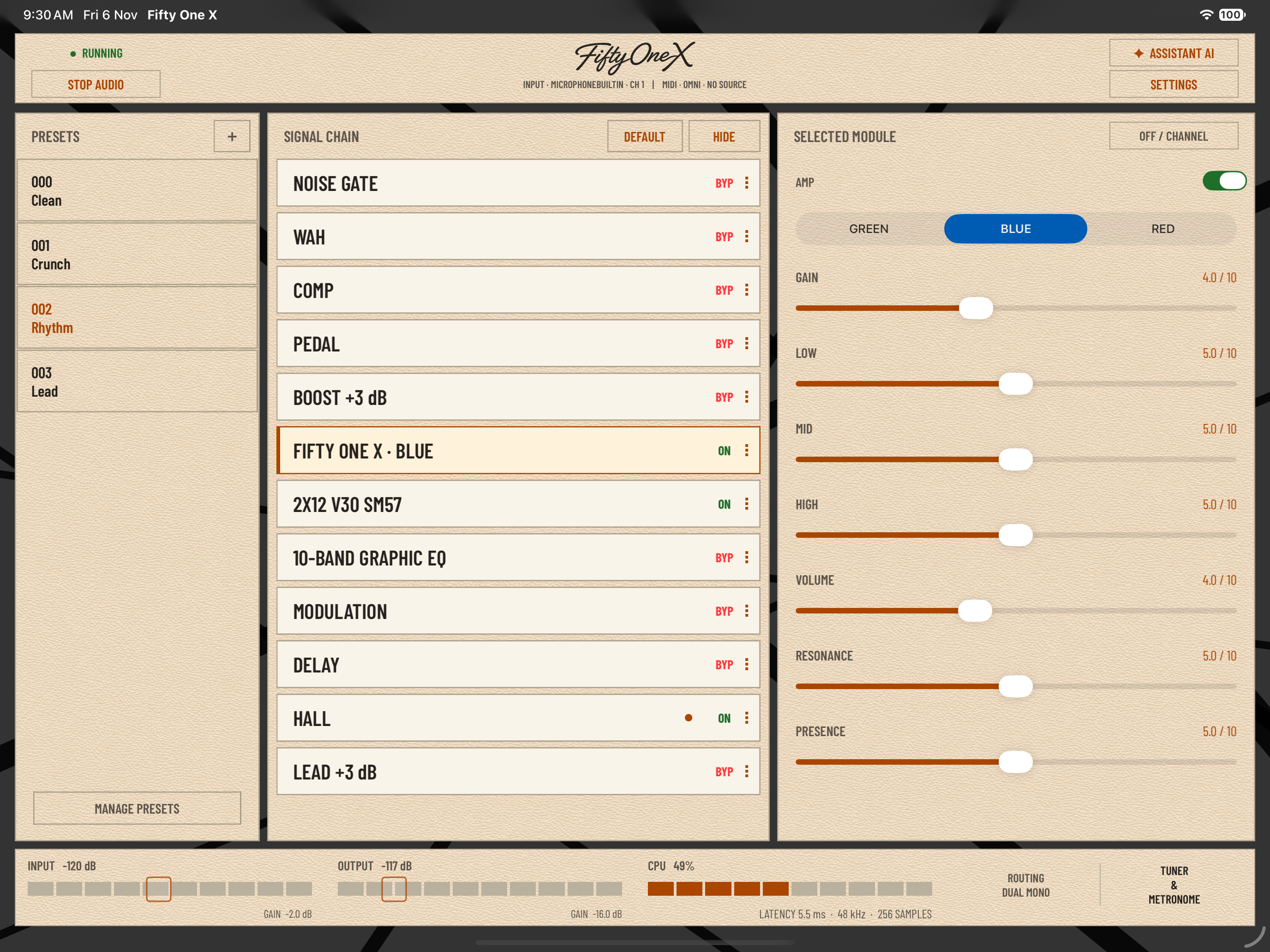
Move all twelve processing blocks to build your own signal path. Keep compression and drive independent, blend two cabinet IRs and finish with EQ, modulation, delay and reverb.
Save the order and settings with your presets. Start with Clean, Crunch, Rhythm or Lead—the four included factory presets.
See your active modules, preset and input/output levels together. Open any module for its detailed controls.
Build around the amp, from the first pick attack to the last reverb tail.
Four built-in compressors in a dedicated block. Four built-in drives, NAM A1/A2 pedal loading and two Quick Libraries for Pedal and IR assets.
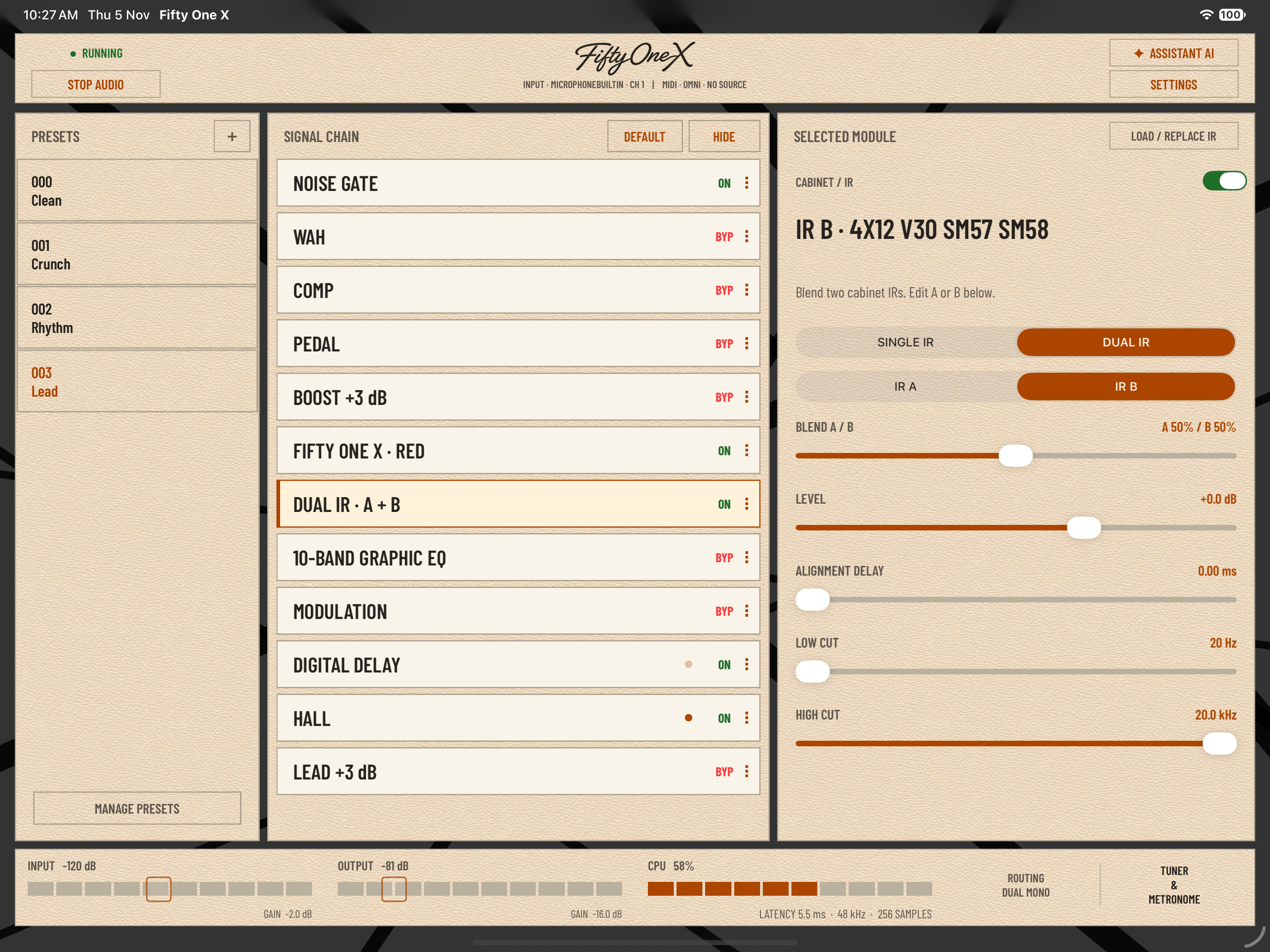
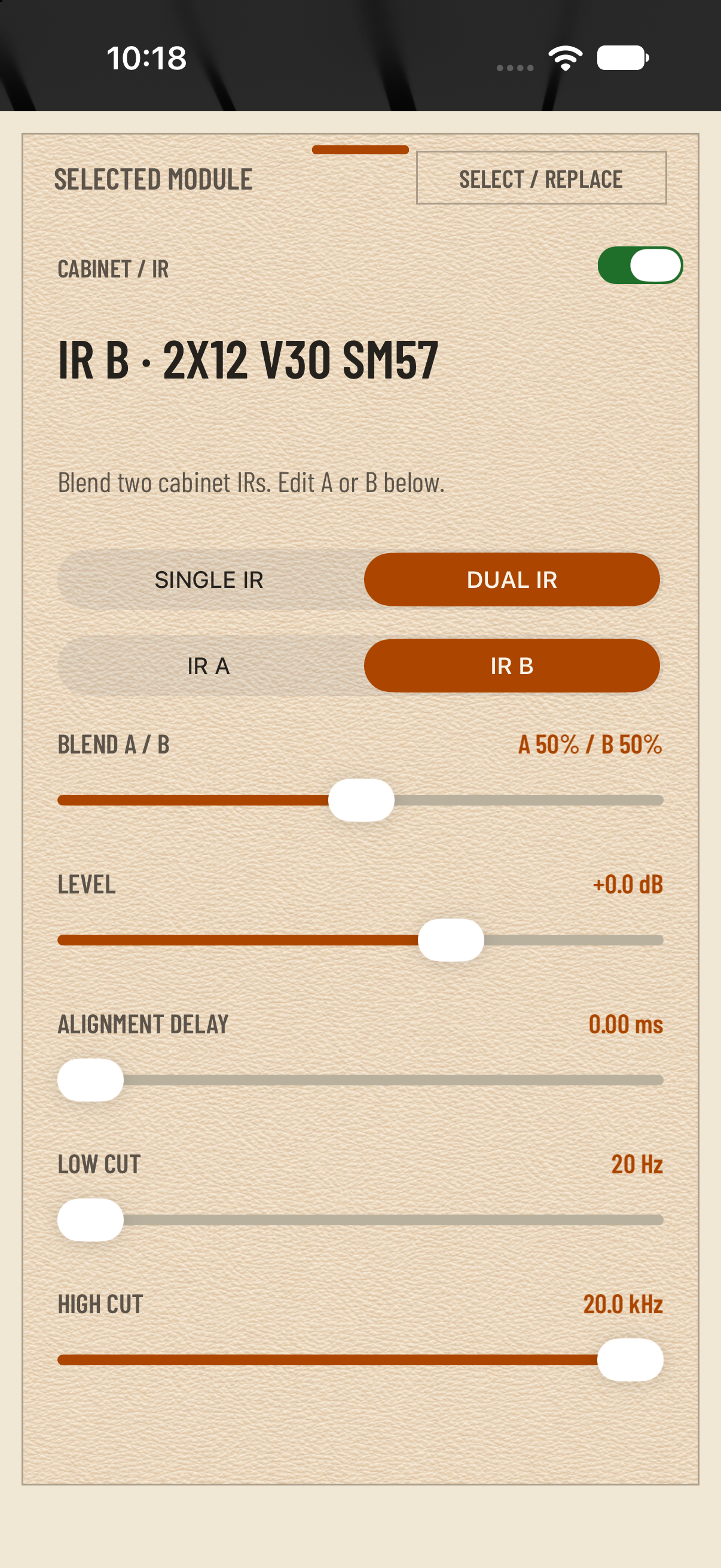
Four bundled cabinet IRs. Load your own WAV files or browse TONE3000. Blend IR A and B with independent level, cuts and optional alignment delay.
Modulation, delay and Room, Hall, Plate, Spring or Shimmer reverb. Keep echoes and decay flowing after bypass with Tails enabled.
Host compatible third-party AUv3 effects in Gate, Wah, Pedal, Modulation, Delay and Reverb. Hosted effects require Stereo output; hosting is standalone only.
Stereo / Dual Mono for the complete rig, or Split PA / Amp: cabinet IR to the left PA output, with the cabinet bypassed on the right for an amp FX return.
Chromatic tuner, a 1–400 BPM metronome with Tap Tempo, and standalone buffers down to 64 samples on suitable setups. Connect a class-compliant audio interface.
Balance IR A and B, shape each cabinet with independent level and cuts, and fine-tune their interaction with alignment delay.
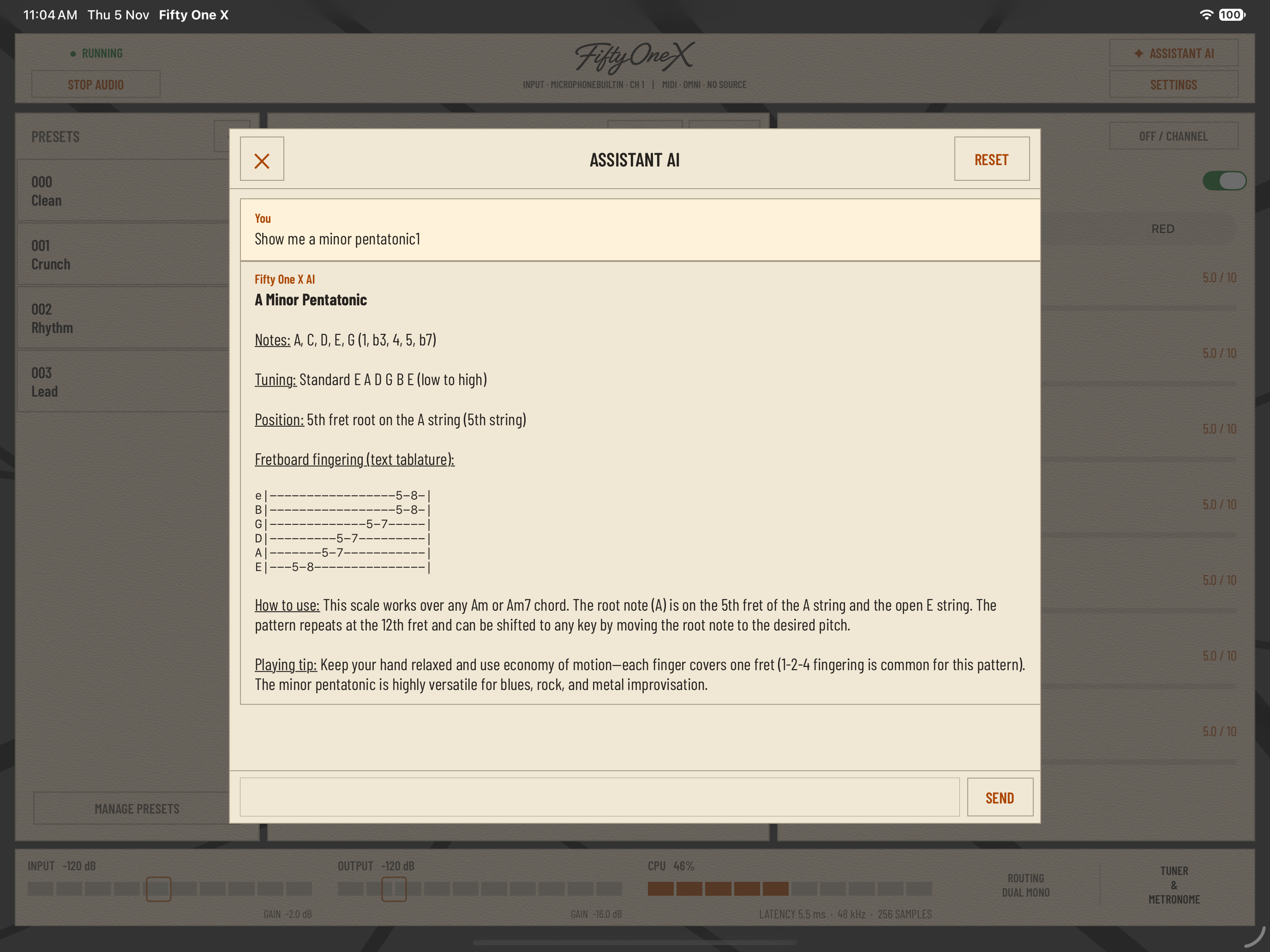
Ask about your actual rig—not just the defaults. Each question includes a fresh snapshot of your channels, signal order, effects, cabinet settings and routing.
Get focused help with tone building, gain staging, effects, cabinet blending, routing, MIDI, setup and troubleshooting. Explore music theory with explanations of scales, modes, chords, intervals, keys and harmony. Ask for note names, fretboard positions, fingerings and short text tablature, or get ideas for technique, improvisation and practice routines. Whether you are shaping a lead tone or learning how a scale fits a chord progression, the assistant can help you work through it.
Available in standalone with an internet connection. Answers use the app’s knowledge and a fresh snapshot of your rig settings. The assistant cannot hear your guitar, assess your playing or change your controls.
Full Unlock: $9.99 / €9.99. The App Store displays the price for your region. A one-time in-app purchase. No subscription.
The standalone amp, Pedal and IR Quick Libraries, and loading existing or factory presets remain free.
Create and manage presets, import and export preset packages, use standalone MIDI Settings and MIDI Learn, and run the Fifty One X AUv3 plug-in in compatible hosts. Restore Purchases is available in Settings.
Setup, channels, cabinets, effects and everything around your rig.
Fifty One X is a high gain guitar amp app for iPhone and iPad by iAppsHellas. Green, Blue and Red channels sit inside a movable twelve-block rig with independent compression and pedal stages, cabinet IRs, EQ and effects. Use it standalone or, with Full Unlock, as an AUv3 plug-in in a compatible host.
Connect your guitar to a compatible class-compliant audio interface, then connect the interface to your iPhone or iPad with the appropriate cable, adapter or powered hub. Use headphones, monitors or your intended output system, and start at a low listening level. If your interface has multiple inputs, choose the guitar channel in Settings → Audio Input. Avoid sending the built-in microphone directly to the built-in speaker, which can cause feedback.
Green offers clean, warm and touch-sensitive tones. Blue brings dirty, gritty saturation for hard rock and modern metal. Red provides extreme saturation, massive sustain and tight low-end lead tones. Each channel remembers its own Gain, Low, Mid, High, Volume, Resonance and Presence values, so switching channels restores that channel’s settings. Presets and AUv3 host state retain all three channels.
Gain controls the amp’s drive; Volume controls the selected channel’s output level. Use Volume to balance channels and the main OUTPUT gain for the final listening level. The seven amp controls range from 0 to 10, with tone controls neutral at 5; Gain 0 remains audible. Standalone starts with INPUT at −2 dB and OUTPUT at −16 dB. Adjust for your guitar and interface while watching the meters and avoiding sustained clipping.
Yes, in standalone and AUv3. Tap MOVABLE beside VIEW/HIDE, then drag the three-square grip beside a block’s ON/BYP control. All twelve internal blocks can move, including bypassed or empty ones; use VIEW to reveal hidden blocks. The DEFAULT action restores Gate → Wah → Comp → Pedal → Boost → Amp → IR → EQ → Modulation → Delay → Reverb → Lead. Input and Output remain outside the movable chain. Changes affect audio live, so lower the listening level first. Save or overwrite a preset to retain the order and mode.
Single processes cabinet IR A. Dual blends A and B, with independent Level, Low Cut, High Cut and optional Alignment Delay for each slot. Blend sets their relative contribution. Both files and their settings are retained in presets and AUv3 host state. Start with alignment delay at 0 ms; it is optional manual fine-tuning, not automatic phase correction. If only one Dual slot contains a file, that cabinet plays at its own level regardless of Blend.
Four cabinet IRs are bundled: 2x12 V30 SM57, an off-axis 2x12 V30 SM57 V2, 4x12 V30 SM58, and 4x12 V30 SM57 SM58. Load / Replace IR also offers WAV files through Files, TONE3000 and the IR Quick Library. In Dual mode, choose IR A or IR B to load and edit that slot. Low Cut, High Cut and alignment controls help shape the cabinet response without replacing the file.
Stereo / Dual Mono sends the complete rig to both outputs and preserves stereo effects. Split PA / Amp sends the cabinet-processed rig left to a PA, FRFR speaker or recording input, and a version without the cabinet IR right to an amplifier’s FX return. Confirm the physical connections at low volume. The output choice is global across presets. When Fifty One X runs as an AUv3 plug-in, the host controls hardware routing.
External stereo effects can mix their left and right inputs, so standalone requires Stereo whenever Gate, Wah, Pedal, Modulation, Delay or Reverb selects an AUv3 effect—even if it is bypassed. If you select one while Split is active, audio stops and explains the conflict. Check your connections, explicitly select Settings → Audio Output → Stereo, then start audio again. To keep Split, replace every hosted AUv3 selection with a built-in effect or OFF; bypass alone is insufficient.
Yes. Full Unlock includes the Fifty One X AUv3 plug-in for compatible hosts. Your host manages input/output routing, sample rate, buffer and transport, while host state retains the rig. The plug-in does not host other AUv3 effects. The AI Assistant and metronome are standalone features; the plug-in has a tuner, and you can use your host’s metronome. If the plug-in is locked, buy or restore Full Unlock in the standalone app.
Yes. Comp and Pedal are independent blocks with separate types, settings and bypass states. Comp offers Studio, Optical, FET and Pedal compressors, with Sustain, Attack, Level and Mix. Pedal offers four built-in overdrive/distortion choices or NAM A1/A2 pedal captures loaded through Files or TONE3000. In standalone, Pedal can also host a compatible AUv3 effect. Both blocks can move within the chain.
There are two separate asset libraries: Pedal for NAM pedal captures and IR for WAV cabinet files, with up to 100 entries each. Add the loaded file, audition entries without closing the browser, reorder them, and import or export each library separately. Imports merge with existing entries and skip identical file contents. These libraries store individual assets, not complete rig presets. They do not automatically sync between standalone and AUv3; transfer them with their separate library export files.
Use Files or TONE3000 from the relevant module: Pedal → Load NAM Pedal for A1/A2 pedal captures, or Load / Replace IR for cabinet WAV files. TONE3000 requires an internet connection and its sign-in/selection flow. Its returned model list can be added to the matching Quick Library without replacing the current rig. The built-in Amp uses Green, Blue and Red channel selection; it does not offer an external amp-file loading menu.
Select Classic, Vintage or Modern from the Wah module, then adjust Position, Range, Resonance and Level. It is a manual/expression Wah: move Position on screen or, with Full Unlock, use standalone MIDI Learn to assign it to an expression pedal and bypass to a footswitch. Position movement does not automatically enable the Wah. Its character, settings and bypass state are saved with the preset.
Yes, in standalone. Gate, Wah, Pedal, Modulation, Delay and Reverb can host compatible third-party AUv3 effects. Comp is a dedicated built-in compressor block. Hosted selections require Stereo output, and compatibility depends on the effect. Hosted Modulation, Delay and Reverb offer bypass tails. The Fifty One X AUv3 plug-in cannot host other AUv3 plug-ins.
With Tails enabled, existing echoes or reverb decay can continue naturally after bypass. With Tails disabled, the effect output stops immediately. Effect types, settings, bypass and Tails are saved with your presets. Reverb choices include Room, Hall, Plate, Spring and Shimmer; Shimmer adds an octave-up bloom within the wet reverb sound while leaving the dry guitar intact.
Full Unlock includes standalone MIDI Settings and MIDI Learn. Choose OMNI or a receive channel from 1–16, then assign supported bypass, preset, tuner, Boost, Lead, Wah and amp-channel controls. Program Change values 0–127 select the correspondingly numbered saved preset. Standalone mappings are global and survive app restarts. In AUv3, route MIDI from the host to the correct instance and use supported fixed CCs or host automation; standalone MIDI Learn and receive-channel settings are separate from host MIDI setup.
Clean, Crunch, Rhythm and Lead install as four factory presets. Clean and Crunch use Green, Rhythm uses Blue, and Lead uses Red; all include the 2x12 V30 SM57 cabinet. Loading existing and factory presets is free. Full Unlock adds creating, overwriting, renaming, deleting and rearranging presets, plus preset-package import/export. Save a rig after changing it to retain the channel settings, processing order, cabinets and effects. Packages can carry required external assets for transfer through Files, iCloud Drive or AirDrop.
In standalone, ask for tone-building advice, gain staging, cabinet blending, effects placement, routing, MIDI setup and troubleshooting. Explore scales, modes, chords, intervals, keys and harmony, or request note names, fretboard positions, fingerings and short text tablature. It can also suggest technique, improvisation and practice ideas. Each question includes a fresh rig-settings snapshot. Internet/service availability is required. It cannot hear your guitar, assess your performance or change controls automatically, and it is not available inside the AUv3 plug-in.
Standalone includes a chromatic tuner and a 1–400 BPM metronome with Tap Tempo, click volume and a four-beat accent. Start audio before starting the click. Tuner mute silences the guitar, not the metronome; the click can continue after you close the tuner window. Main OUTPUT gain also affects click level, so leave headroom. Split PA / Amp sends the click to the left/PA output only. Tap Tempo sets the metronome, not delay or effect synchronization. The AUv3 plug-in has a tuner; use the host for metronome playback.
In standalone, open Settings → Audio Buffer or tap the CPU area in the footer. Choose 64, 128, 256, 512 or 1024 samples. Smaller buffers reduce I/O buffering but demand more processing headroom; 64 samples is suitable only when your device, interface and rig remain stable. For crackles or dropouts, increase the buffer and bypass unnecessary effects. Avoid sustained input/output clipping. In AUv3, set the buffer in your host. Displayed latency is an estimate, not a guaranteed measured hardware round trip.
Fifty One X enables Mix With Others so its processed guitar can normally play alongside compatible backing-track, music or tablature apps. Audio sharing also depends on the other app’s session and output choices. If another app interrupts the rig, return to Fifty One X, check the interface route and restart audio if needed. Calls, Siri, route changes and device disconnection can still interrupt playback.
The standalone amp, Quick Libraries and loading existing or factory presets remain free. Full Unlock is a one-time US$9.99 / €9.99 in-app purchase for preset management and preset-package import/export, standalone MIDI Settings including Learn, and use of the AUv3 plug-in. There is no subscription. The app’s purchase screen shows your localized price.
Open the standalone app and choose Settings → Full Unlock → Restore Purchases using the Apple Account that made the purchase. An internet connection may be needed to verify access, especially on a new device. After verification, the AUv3 plug-in unlocks automatically. Purchases and restores are handled in the standalone app, not inside the host.
Reset All restores the default rig and signal order, clears the current preset selection, and stops/resets the metronome. It keeps your saved presets, Pedal and IR Quick Libraries, MIDI assignments and hardware choices. It does not delete your preset collection or library assets.