Control. Then push.
Run Comp and Pedal together. Choose Studio, Optical, FET or Pedal compression, then add a built-in drive or your own pedal capture.
Broad low-end weight. Aggressive bite. Fluid sustain.
Three high-gain voices and a complete rig for heavy rhythm, down-tuned riffs and expressive leads.
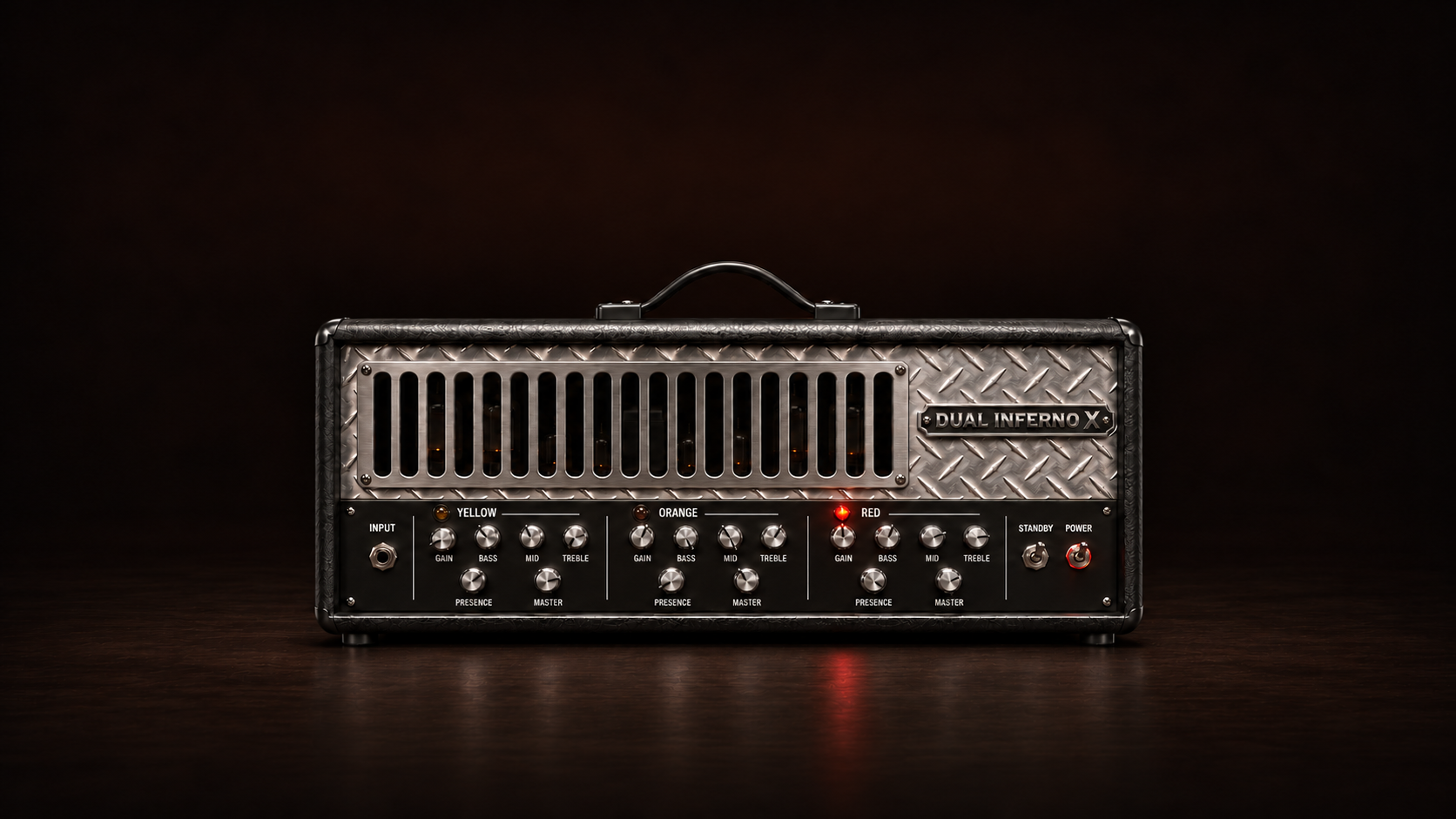
A late-’90s American high-gain character: broad low-end weight, textured distortion and a strong midrange presence. Three distinct ways to put weight behind the riff.
A modern high-gain voice with a firm attack and broad low-end weight. Build articulate heavy rhythms, or lower the Gain for gritty crunch.
Every channel remembers its own settings. Presets and AUv3 host state retain all three voices, ready for the next change.
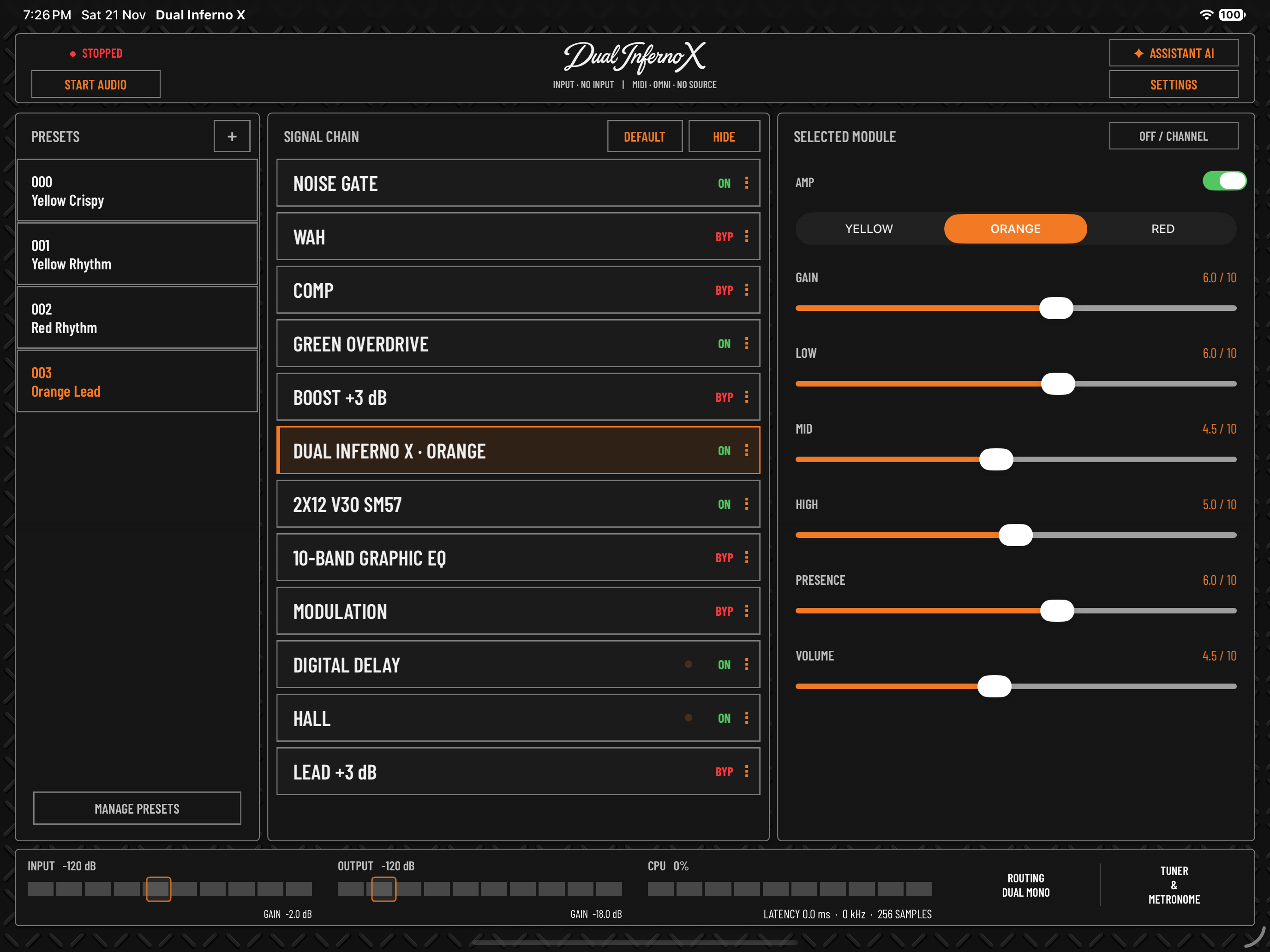
Move all twelve processing blocks in standalone and AUv3. Put compression before drive, shift the EQ, or move an effect to explore how the rig responds.
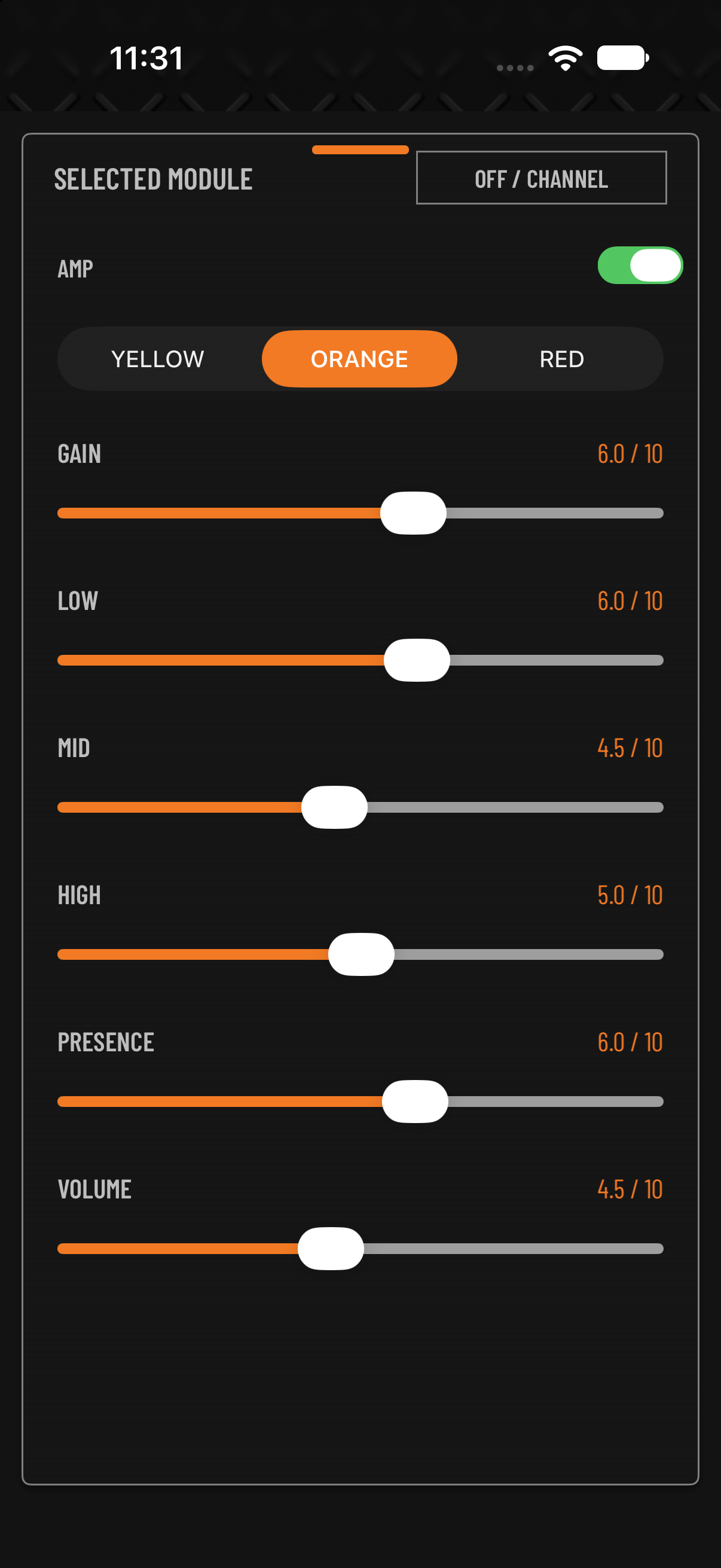
Three high-gain voices: Yellow, Orange and Red. Each remembers Gain, Low, Mid, High, Presence and Volume.
Select a block to explore it. This is a feature guide; audio processing and block rearrangement happen in the app. Default order shown.
Run Comp and Pedal together. Choose Studio, Optical, FET or Pedal compression, then add a built-in drive or your own pedal capture.
Modulation, delay and five reverb types take your sound beyond the amp. Delay and Reverb Tails let the decay continue after bypass.
Recall channel settings, cabinet files, effect states and signal order together. Full Unlock adds preset creation, management and package import/export.
YOUR RIG IN SIGHT
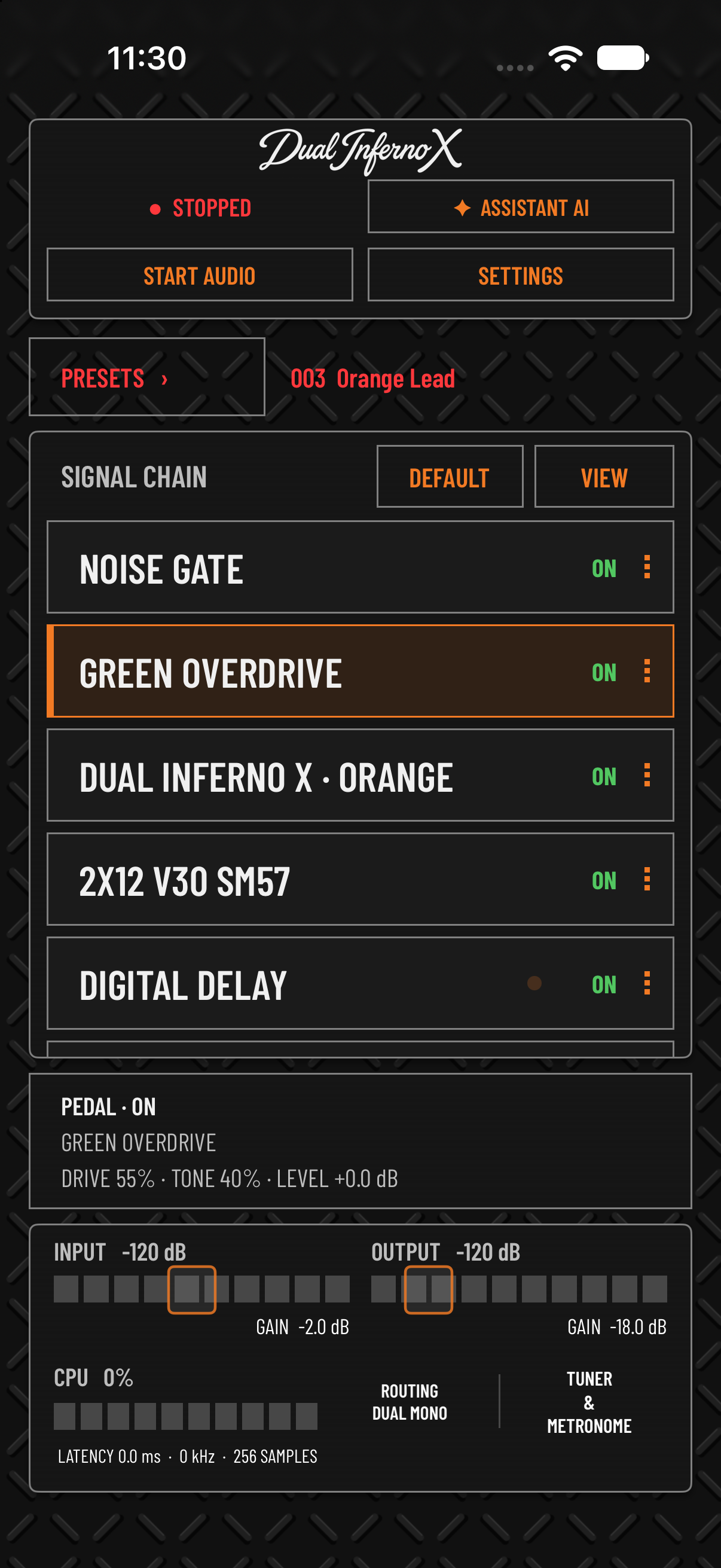
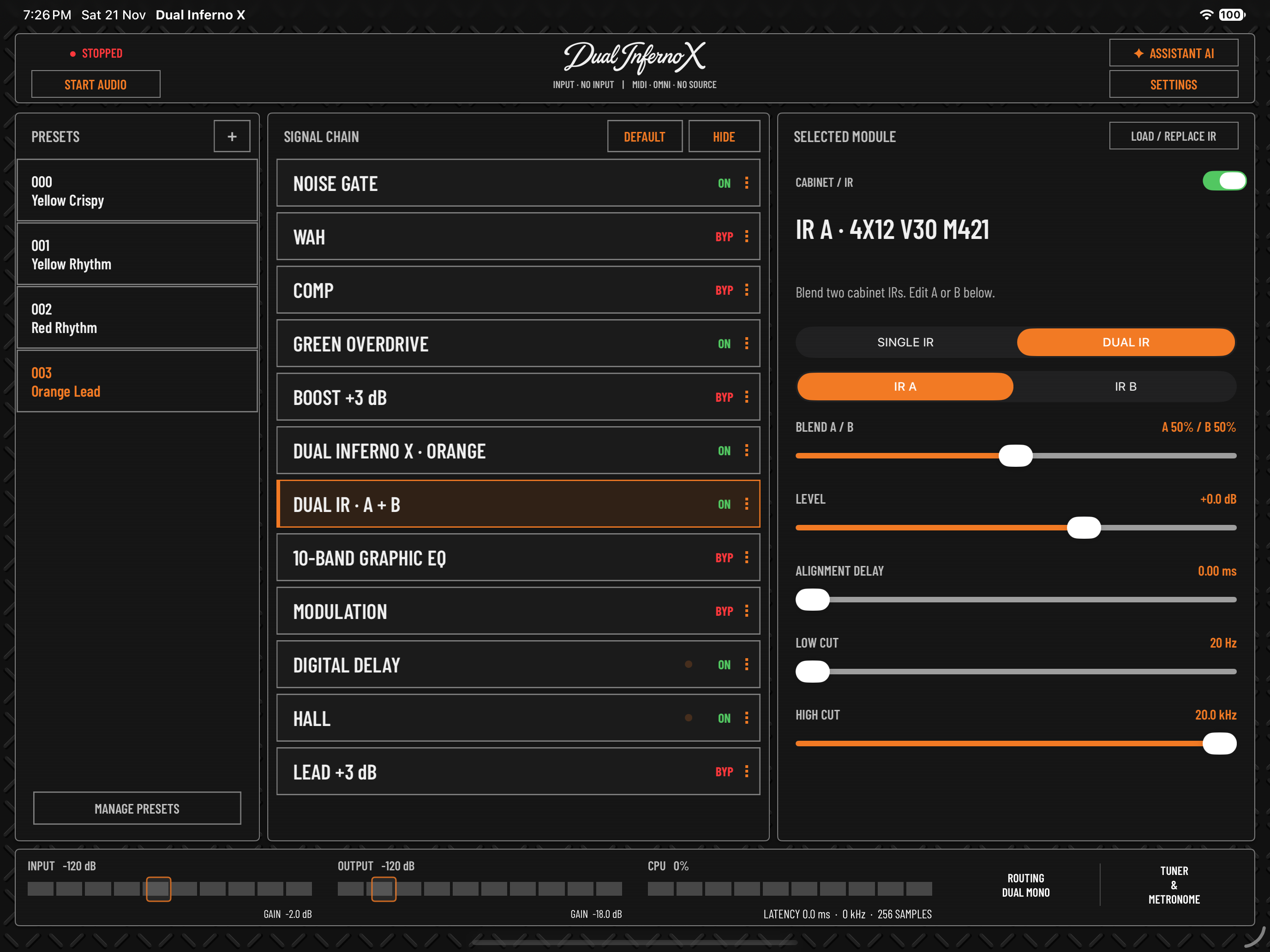
See the selected preset, active effects and cabinet together. Open a block to shape the sound, or use MOVABLE to make the order your own.
Shown on iPhone with the Orange Lead preset.
A cabinet changes how the attack, low end and top-end bite come together. Choose from eight bundled V30 cabinet IRs, then explore your own WAV impulse responses. Every bundled cabinet is available for IR A or B in standalone and AUv3.
The starting cabinet in Single IR mode, ready for direct listening.
A second microphone perspective on the 2×12 cabinet.
Explore a different cabinet and microphone combination.
Two microphone characters in one bundled impulse response.
A V30 4×12 cabinet captured with an SM7B.
A V30 4×12 cabinet with an M421 microphone capture.
An alternate M421 capture of the V30 4×12 cabinet.
A V30 4×12 cabinet captured with an R121.
Single uses IR A. Dual blends A and B, with independent levels, low/high cuts and up to 10 ms alignment delay. Presets and host state keep both files and their settings.
Play through headphones and monitors, or send separate cabinet-ready and cabinet-free paths to the PA and an amp’s FX return.
The complete processed rig reaches both outputs. Stereo effects retain their left/right differences.
Left carries the cabinet sound for direct use. Right omits the cabinet IR for a real guitar amp’s FX return.
Simplified diagrams. All twelve blocks can move. Connect and test at a low listening level.
Use standalone MIDI Learn to assign controls, recall presets, switch Yellow / Orange / Red and map Wah Position to an expression pedal. MIDI Settings are part of Full Unlock.
Separate Pedal and IR libraries hold up to 100 assets each. Audition, reorder, import and export. Library imports merge with your collection and skip identical content.
A chromatic tuner and standalone 1–400 BPM metronome with Tap Tempo, click volume and beat accent. Mute the guitar while tuning; keep the click going for practice.
Host compatible AUv3 effects in Gate, Wah, Pedal, Modulation, Delay and Reverb. External effect hosting is available in standalone with Stereo output.
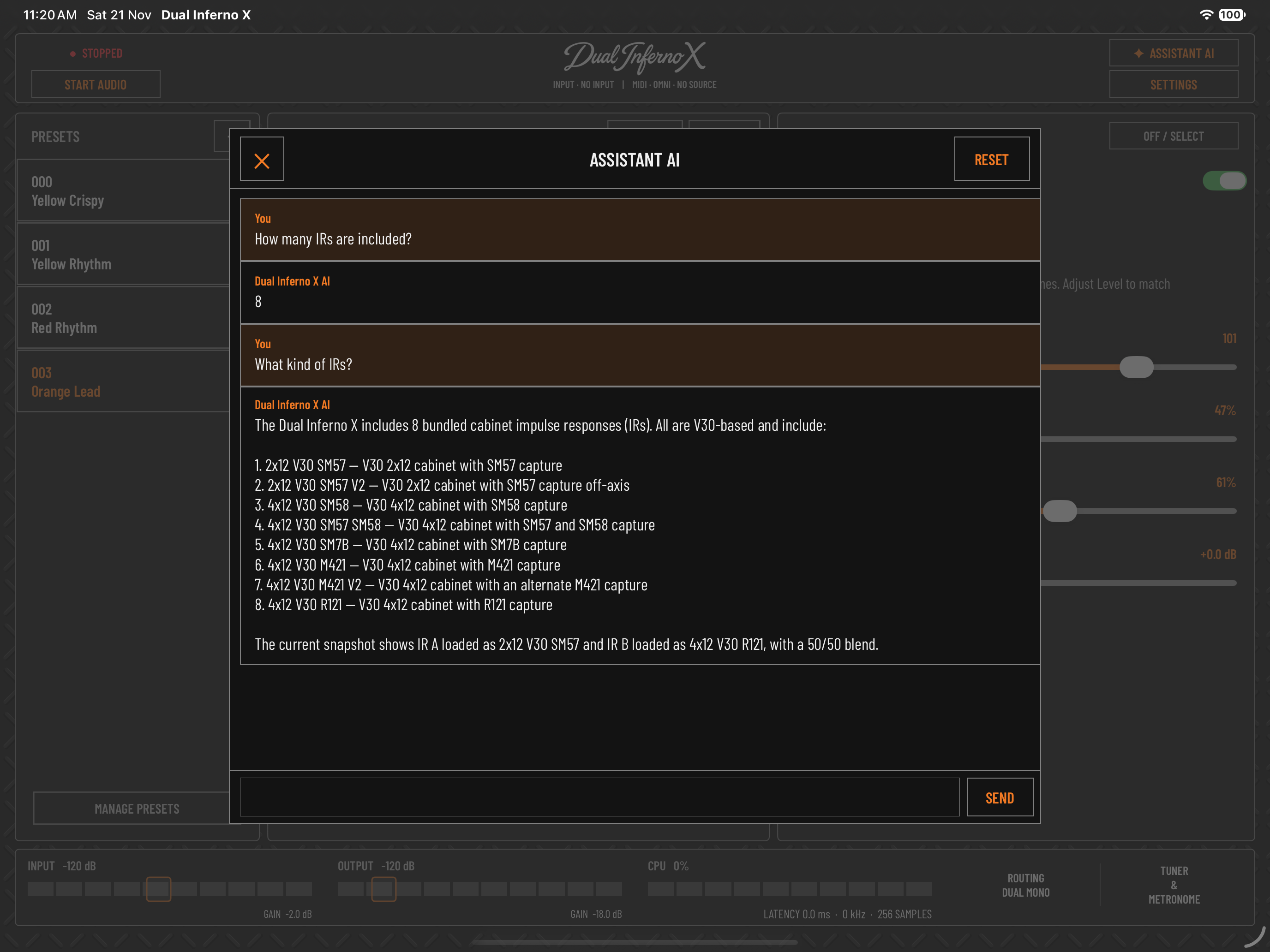
Ask about the sound you’re building. Each question includes a fresh snapshot of your channels, signal order, cabinets, effects and routing.
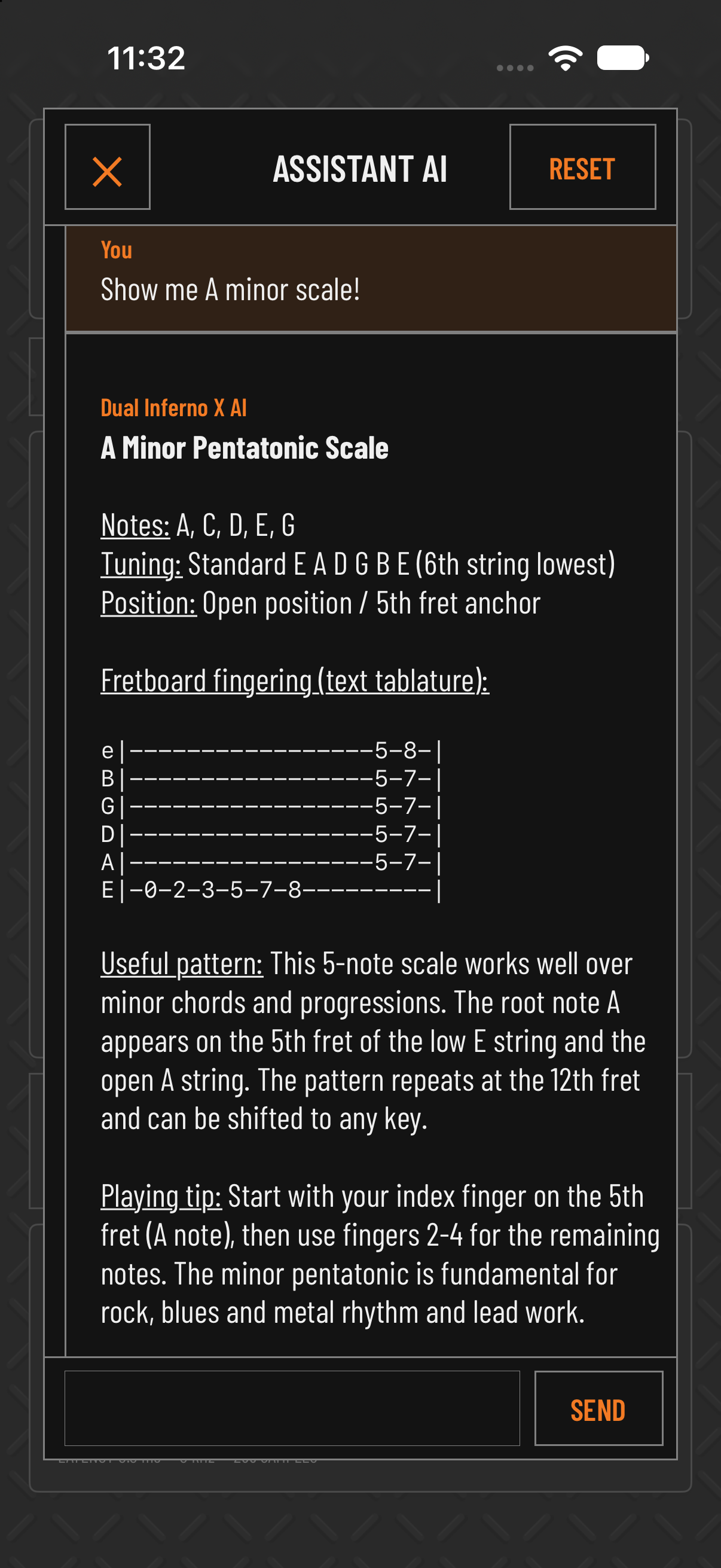
Explore gain staging, heavy rhythm, lead tone, MIDI and setup. Ask about scales, chords, harmony and practice ideas, too.
In the standalone app. Internet required. The assistant uses your settings; it cannot hear the guitar, assess your playing or change controls.
“How can I tighten my down-tuned rhythm?”
“Help me make this lead thicker.”
“Which EQ moves could reduce harshness?”
“Show me a minor pentatonic practice idea.”
Connect your guitar through a compatible class-compliant audio interface. Choose the guitar input, connect headphones or monitors, and start with a comfortable listening level.
Your amp, effects, libraries and practice tools on iPhone and iPad.
The rig inside a compatible host, with project recall and amp automation. Included in Full Unlock.
Choose the input, output routing and audio buffer in standalone. In AUv3, your host controls the hardware and buffer.
Explore the standalone rig for free. Full Unlock adds preset management, standalone MIDI Settings and the AUv3 plug-in with a one-time purchase. No subscription.
Purchase or Restore Purchases in standalone Settings → Full Unlock. The app displays the localized price for your region.
A high-gain-focused guitar amp for iPhone and iPad. Yellow has a firm modern attack and broad low-end weight; Orange brings a smoother vintage high-gain voice; Red adds a scooped modern voice with aggressive bite. Each has its own gain, tone and volume settings.
A compatible class-compliant audio interface, the right cable or adapter for your device, and headphones, monitors or another suitable output. Select the interface input connected to your guitar and begin at a low listening level.
Yes. Gain, Low, Mid, High, Presence and Volume are independent for Yellow, Orange and Red. Presets and AUv3 host state retain all three channels.
Yes. Tap MOVABLE beside VIEW/HIDE in the app, then drag the grip on a block. All twelve blocks can move in standalone and AUv3. DEFAULT restores the default order. Save a preset to keep the mode and order, or let your AUv3 host retain them in the project.
Single uses cabinet IR A. Dual blends A and B, with independent levels, low/high cuts and alignment delay. Choose from eight bundled cabinets, load WAV files, or browse from the IR module. Presets and AUv3 host state keep both cabinet files and settings.
Stereo / Dual Mono sends the whole rig to both outputs and preserves stereo effects. Split PA / Amp sends the cabinet-processed sound left to a PA or FRFR system and a cabinet-free path right to an amp FX return. External AUv3 effect selections require Stereo. In the plug-in, your host manages routing.
In standalone, compatible effects can run in Gate, Wah, Pedal, Modulation, Delay and Reverb. Stereo output is required. The Dual Inferno X AUv3 plug-in cannot host other plug-ins.
Two separate collections: pedal captures and cabinet IRs, with up to 100 assets each. Audition without closing the browser, reorder and export or import each library. Imports merge and skip identical content. These are asset libraries rather than complete rig presets, and do not automatically sync between standalone and AUv3.
Full Unlock provides standalone MIDI Settings and MIDI Learn. Assign supported controls, preset changes, channel selection and performance functions. In a compatible AUv3 host, use the host’s MIDI routing and automation for the plug-in.
No. It receives a snapshot of your rig settings when you ask a question. It can explain tone, setup and music concepts, but cannot hear audio or change settings. It is available in standalone and needs an internet connection.
Open Settings → Full Unlock → Restore Purchases in the standalone app, using the Apple Account that made the purchase. After verification, the AUv3 plug-in unlocks too.
In standalone, tap the CPU area in the footer or open Settings → Audio Buffer. Lower buffers can reduce latency but demand more processing power. Choose a stable setting for your interface and rig; increase it if audio crackles. Your AUv3 host controls its buffer.